
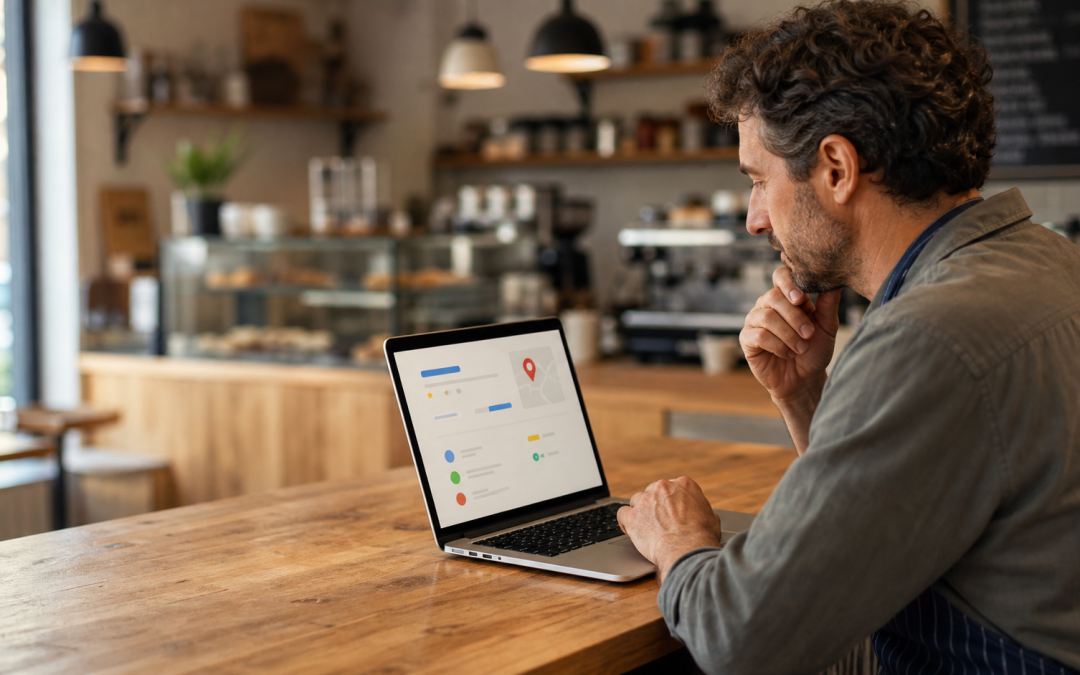
The best google business profile tips small business owners can act on don't need a marketing budget or a web developer — they need five honest minutes and a willingness to look at the profile the way a customer actually sees it. Most small business profiles are set up once, at launch, and never touched again. That neglect shows up directly in local search results.
Contents
Google business profile tips small business owners overlook most often
The profile is often the very first thing a potential customer sees — before your website, before a call, sometimes before they've even decided to visit. Getting the basics right there matters more than almost any other single piece of local marketing.
That's exactly why it's worth five minutes of genuine attention rather than being set once and forgotten — a small amount of regular upkeep outperforms an occasional, larger overhaul that never quite happens.
Start with the details that are actually wrong
Check opening hours against what's really posted on the door, confirm the phone number connects, and make sure the address drops a pin in the right place. These sound obvious, and they're also the single most common reason a profile underperforms.
Do this check from a phone, not a desktop — most customers will find and judge the profile from a phone screen, and small display issues are often invisible on a larger monitor.
Add photos that show the real business
Genuine photos of your premises, products or team consistently outperform generic stock images — customers are actively looking for a sense of what to expect before they walk in.
Aim for a mix — the exterior so people recognise it on arrival, the interior so it feels familiar, and the product or service itself so expectations are set accurately before anyone visits.
Keep your opening hours honestly up to date
Bank holidays, seasonal changes, a one-off closure — an out-of-date hours listing sends a customer to a locked door, which is a worse first impression than almost anything else on the profile.
This is also one of the fastest checks to do, and the one most likely to have quietly drifted wrong without anyone noticing since the last public holiday.

Respond to reviews, good and bad, honestly
A thoughtful reply to a negative review, addressing the actual issue, often does more for trust than a string of five-star reviews with no response at all. Never post or incentivise fake reviews — new UK rules make this a genuine legal risk, not just bad practice.
A calm, specific reply to criticism reads as confidence to anyone else reading the profile afterwards — defensiveness or silence reads as the opposite, even when the original complaint was unfair.
| Action | Effort | What it fixes |
|---|---|---|
| Correct hours and contact details | Under 5 minutes | Wrong information sending customers away |
| Add 5-10 genuine photos | 15-20 minutes | A generic or empty-looking profile |
| Reply to recent reviews | 10-15 minutes | An unanswered profile that looks neglected |
What to check before you touch anything
Work through these five checks in order — together they cover most of what actually moves the needle on a small business profile.
- Is the business category set correctly, matching what customers would actually search for?
- Are your opening hours accurate for this week specifically, not just generally?
- Do the photos genuinely represent the business today, not from years ago?
- Have any recent reviews gone unanswered for more than a few days?
- Is the website link pointing to the right page, not just the homepage by default?
How this connects to the rest of your marketing
A strong profile works best alongside a website that matches what it promises, and an AI assistant that can answer the same questions consistently if a customer calls instead of clicking through.
What good profile management actually costs
Most of this costs nothing but time — the five-minute checks above are entirely free. Where it's worth paying for help is ongoing management at scale, or building the systems that keep the profile consistently accurate without manual upkeep.
For a sole trader managing everything themselves, reviewing your own position as a self-employed owner is a useful moment to decide honestly whether this is worth doing personally or handing off — five minutes a week adds up differently depending on how many other things are competing for that time.
Where the profile links through to a till system or online payments for bookings or orders, keeping all three consistent matters more than optimising any one of them in isolation.

Common mistakes small businesses make
Most of the google business profile tips small business owners eventually need trace back to avoiding one of these five habits.
- Setting the profile up once at launch and never revisiting it again, even years later.
- Using stock photography instead of genuine images of the actual business and team.
- Ignoring reviews entirely, positive or negative, rather than engaging with any of them.
- Choosing the wrong business category, which quietly hurts relevant local search results for months.
- Letting opening hours drift out of date after a seasonal change nobody remembered to update.
Signs your profile needs more than five minutes
- Reviews mention specific problems — wrong hours, unclear location — that have never been addressed.
- The photos are years old and no longer represent the current business.
- You genuinely don't know when the listing was last updated.
- Competitors' profiles consistently look more complete and active than yours.
- Nobody in the business is clearly responsible for keeping it accurate.
Keeping account access secure
A Google Business Profile is a genuine access point into how your business appears publicly — treat the login with the same care as any other business account. The NCSC's small organisations guide covers the basic account security this depends on, and the UK GDPR and Data Protection Act 2018 apply to any customer information exchanged through profile messaging or Q&A features.
Managing reviews responsibly
UK rules on fake and incentivised reviews changed under the Digital Markets, Competition and Consumers Act 2024 — the CMA's fake reviews guidance sets out what's now prohibited and what businesses must do to prevent it. Never offer an incentive for a positive review, and never post reviews for your own business.
The same principle extends to photos and any AI-generated content used on the profile — the ASA's guidance on AI disclosure is a useful reference point on the underlying test: would a customer feel misled if they knew how the content was actually produced?
Google business profile tips small business owners by sector
Shops and retail
Photos of the shop front and interior help a customer recognise it on arrival — a surprisingly common source of lost first visits.
Service and appointment-based businesses
Booking links and accurate service categories matter more here than photos alone — make sure the profile actually routes to a working booking system. Where a booking link takes a deposit, the same FCA guidance on payment service providers applies as it would anywhere else that payment is taken.
Hospitality
Menu links, current opening hours and recent photos of the food or venue drive genuine decision-making for this sector specifically — these google business profile tips small business owners in hospitality apply almost every single day of trading, not just occasionally.

Planning a regular five-minute habit
Turning google business profile tips small business owners read about into an actual habit takes a short, repeatable routine rather than a one-off overhaul.
- Set a recurring reminder — weekly or fortnightly — rather than relying on remembering.
- Check hours and respond to any new reviews first, since these matter most.
- Add one or two new genuine photos each month to keep the profile current.
- Review the whole profile properly each quarter, not just the quick checks.
Under the general consumer protection rights that apply to any UK sale, misleading information — including on a business listing — can be challenged, which is exactly why accuracy matters beyond just search ranking.
How to judge whether it's working
Track how many calls, messages or direction requests the profile generates through its own built-in reporting, and whether new reviews trend positively over time. The Citizens Advice guidance on resolving a purchase gone wrong is a useful reference if a review dispute ever needs a fair resolution.
Give any change a month or two before judging results — local search behaviour shifts gradually, not overnight, so a single week's numbers rarely tell the full story.
Questions worth asking if you want help managing it
Ask whether a provider actually keeps profiles updated proactively, or only touches them when asked. A quick check of the Companies House register is also worth doing before handing any third party access to a profile that represents your business publicly.
Some of our published case studies cover local marketing specifically, and our insights hub has more detail on local SEO — talk to our UK team if it's easier to review your own profile together.
Turn profile checks into a weekly habit
A Google Business Profile works best when it reflects what a customer can act on today. Check that opening hours, phone number, website destination, service area and booking route agree with the business itself. If a bank holiday, temporary closure or changed service is likely to create confusion, update it before customers start searching.
Use real customer questions to improve the profile. If people repeatedly ask whether you offer a service, where to park or how quickly they can book, make the answer clear in the appropriate field or linked page. Review new photos, questions and reviews with the same care. The aim is a dependable first impression, not a stream of posts that adds no useful information.
Use accurate information rather than activity for its own sake
A useful Google Business Profile reflects the business that customers can visit or contact now. Check service categories, accessibility details, appointment links and the phone route from a mobile device. If a page takes people to the wrong form or an old address, correct the source rather than adding another post to cover the problem.
Use new photographs only when they help a customer recognise the premises, service or team. Avoid generic pictures that could belong to any business. Ask staff to report changes in opening hours, temporary closures and new services so the profile can be updated before customers arrive with the wrong expectation.
In day-to-day terms, google business profile tips small business should solve a real operational problem rather than add another feature for the team to manage.
Before deciding, test google business profile tips small business against a normal busy day and the exceptions that make work harder.
Key takeaways
- The highest-impact google business profile tips small business owners can use cost five minutes, not a marketing budget.
- There's no shortcut worth taking with fake reviews or misleading photos — the legal and reputational risk isn't worth it.
- Accurate hours, genuine photos and honest review responses matter more than any advanced feature.
- Never post or incentivise fake reviews — UK law now specifically prohibits it.
- A recurring habit beats a one-off overhaul that's never repeated.
Frequently asked questions about google business profile tips small business owners need
How often should I update my Google Business Profile?
Check hours and reviews weekly at minimum, and do a fuller review each quarter as photos and services change — these google business profile tips small business owners can turn into a habit rather than a one-off task.
Do I need to reply to every single review?
Replying to negative reviews matters most for trust, but responding to positive ones too shows an active, engaged business.
Can I pay for reviews to boost my profile?
No — this is now specifically prohibited under UK consumer protection law and carries genuine legal risk, not just a reputational one.
Does a complete profile actually affect local search ranking?
A complete, accurate, actively-managed profile is a stronger local search signal than an incomplete or outdated one, though it isn't the only factor.
What's the single biggest mistake to avoid?
Leaving incorrect opening hours unfixed — it's the fastest thing to correct and the one most likely to send a genuine customer to a locked door.
Ready for help keeping your profile consistently accurate?
We can review your current listing and show you exactly what's worth fixing first.