
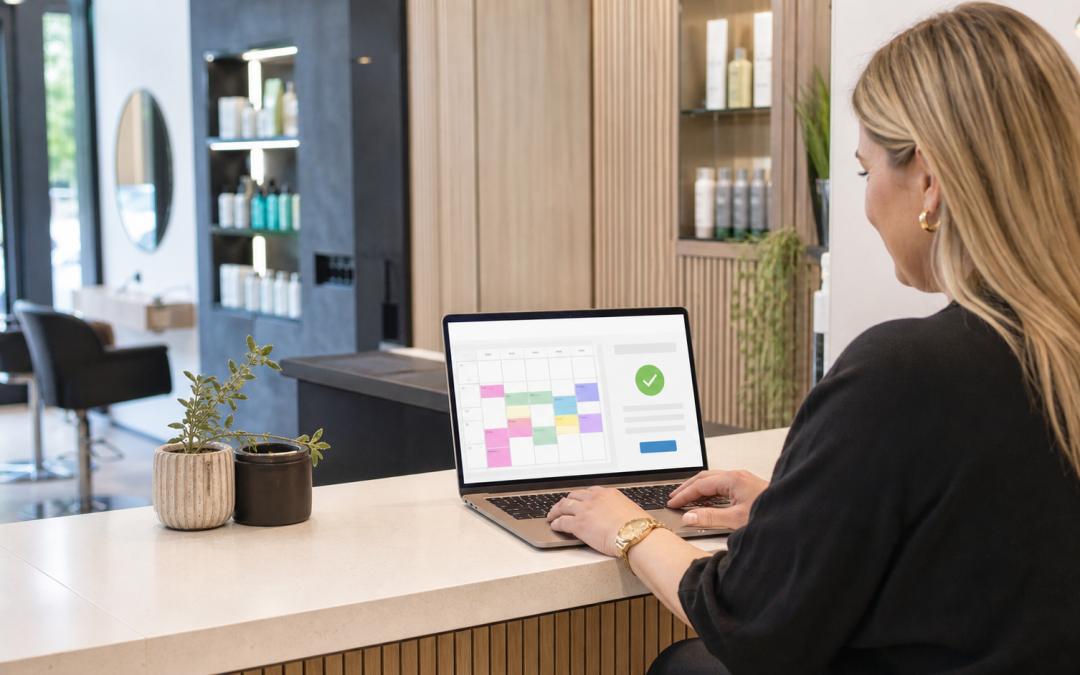
The Essential Guide: Website, Bookings and Payments — Making the Front Door Work
Most small business websites are a digital leaflet — a description of the business, a phone number, and an implicit instruction to call during office hours. A website with booking and payments built in is a different thing entirely: it's a front door that actually does business while you're asleep, at the weekend, or mid-service with your hands full.
Most businesses already have some kind of website. Far fewer have one that actually finishes the job it started — the description gets a customer interested, but something else, usually a phone call, has to happen before any money changes hands.
Contents
Website with booking and payments: what changes when the front door works
A leaflet-style website answers "what do you do?" A working front door answers that and then actually completes the next step — a booking confirmed, a deposit taken, an order placed — without a phone call in between.
What a booking-and-payments website actually needs
Three things have to work together, not separately, for this to genuinely help rather than just look modern.
Genuinely live availability
A booking form that isn't connected to the real diary just becomes another message to confirm manually later — which defeats much of the point. If a slot shown as free is actually taken, the resulting confusion costs more trust than never offering online booking at all.
Payment taken at the point of booking
Where a deposit or full payment is expected, taking it in the same step as the booking massively reduces no-shows compared with "we'll take payment when you arrive." It also means the business isn't relying on a customer's memory or goodwill weeks later.
A mobile experience that actually works
Most visitors will book from a phone, often while doing something else — a clunky mobile booking flow loses more business than almost any other single website problem. A form that's merely readable on a phone isn't the same as one genuinely designed for it.
How this plays out for a real visitor
A visitor lands on the site, sees what they need, checks availability, books and pays — all inside a few minutes, on their own schedule, without waiting for a callback. That's the entire value proposition in one sentence, and most business websites still don't deliver it.
Compare that with the alternative: a visitor fills in a contact form, waits for a reply that may come hours later, and by then has often already booked with whichever competitor answered first. Speed of confirmation is itself a competitive advantage, not just a convenience.

Leaflet website vs working front door, compared
The difference between the two isn't visual polish — a leaflet-style site can look perfectly professional while still requiring a phone call to get anything done.
| Website type | What it does | What it misses |
|---|---|---|
| Leaflet-style website | Describes the business, lists contact details | Requires a phone call to actually book anything |
| Booking form only | Collects a request | Still needs manual confirmation, no live availability |
| Website with booking and payments | Completes the transaction end to end | Needs proper setup to actually deliver this |
What to check before building or upgrading
Work through these five checks whether you're starting from scratch or upgrading an existing site.
- Does the booking form show genuinely live availability, or just collect a request?
- Can a customer pay a deposit or in full during the same booking step?
- Does it work properly on a phone, not just look acceptable on one?
- Does a booking update the same customer record as the rest of the business?
- What happens if a customer needs to change or cancel — is that self-service too?
How this connects to the rest of your setup
A working front door needs to connect to your booking and customer records, payment processing, and ideally your till if the same customer also visits in person. An AI assistant can also handle booking questions by chat or phone, pointing to the same live availability the website shows.
The website itself is the foundation all of this sits on — a site built without booking and payments in mind from the start is far harder to properly connect later than one designed around the full customer journey from day one.
What building this properly costs
Cost depends on how much of the booking and payment flow needs building versus connecting to existing systems. We build the package around what your business actually needs from the front door, not a generic template with booking bolted on.
Where payments are taken through the site, the same FCA guidance on payment service providers and PCI Security Standards Council rules apply exactly as they would to any other payment channel. The Payment Systems Regulator's consumer information covers how that payment actually moves once a customer completes a booking.
If you run the business as a sole trader, reviewing your own position as a self-employed owner is worth doing alongside this — the time saved by online booking often matters more when there's nobody else to answer the phone.

Common mistakes when building this
Most of these mistakes trace back to treating booking or payments as an afterthought rather than the core of the site.
- Adding a booking form that isn't actually connected to live availability, so it becomes a manual task in disguise.
- Building a beautiful desktop site while the mobile booking flow is an afterthought, despite most traffic arriving on a phone.
- Taking bookings but not payments, leaving no-shows unaddressed and unresolved.
- Letting website bookings and phone bookings live in two disconnected systems that don't share data.
- Launching without testing the entire flow as a genuine customer would experience it, start to finish.
Signs your current website is costing you bookings
- Most bookings still arrive by phone despite having an online form available.
- Customers regularly ask questions the website should already answer clearly.
- No-shows are common, and no deposit or payment step exists to discourage them.
- Staff spend real time manually confirming bookings that should be instant and automatic.
- The website looks fine but nobody can say how many actual bookings it generates.
Protecting customer and payment data
Booking and payment data both carry real obligations — the UK GDPR and Data Protection Act 2018 apply to customer details, and the NCSC's small organisations guide covers the account and website security this setup depends on.
Website with booking and payments by business type
Service and appointment businesses
Live availability and deposits matter most here — a salon, clinic or driving school lives or dies on genuinely filled diary slots, and a website with booking and payments removes the single biggest source of admin for this kind of business.
Hospitality and events
Table or ticket bookings with payment upfront reduce no-shows significantly for this sector specifically, where a single empty table at peak service represents real, unrecoverable lost revenue.
Trades and callout services
A simple enquiry-to-quote flow with payment on completion often suits this better than a rigid booking calendar, since the exact scope of a job is rarely known until someone's actually assessed it.

Planning the build or upgrade
Building a genuine website with booking and payments takes a short, deliberate sequence rather than adding features piecemeal over time.
- Map the exact customer journey from landing on the site to a completed booking.
- Decide the deposit or payment policy before building the checkout flow around it.
- Test the entire flow on a real phone, not just a desktop browser.
- Run it alongside phone bookings for a trial period before relying on it fully.
Under the general consumer protection rights that apply to any UK sale, an online booking carries the same obligations as one taken any other way — build the confirmation and cancellation process with that in mind.
How to judge whether it's working
Track the proportion of bookings coming through the website versus the phone, and whether no-shows fall once payment is taken upfront. The Citizens Advice guidance on resolving a purchase gone wrong is a useful reference for how disputes get handled, whichever channel took the booking.
Give it a full trading cycle before judging — a slow first fortnight, while customers get used to the new option, rarely reflects how the setup performs once it's genuinely established.
Questions worth asking a provider
Ask to see a real booking-and-payment flow in action, not just a description of features. A quick check of the Companies House register is also worth doing before handing any provider access to your payment and customer systems.
Some of our published case studies and our insights hub cover this exact kind of build — talk to our UK team if it's easier to walk through your own customer journey directly.
Test the full customer journey
Walk through the business as a new customer: find the website, make a booking, receive a confirmation, pay if needed and ask for help. Note every point where they need to repeat information or wait for a manual answer. The website, booking route and payment route should tell the same story about what happens next.
Then test the staff side. Can a colleague see the booking, check the customer details and resolve a payment question without moving between unrelated inboxes? A joined-up front door is about clear ownership, not adding more screens.
Remove friction between the website and the office
Every public form should give the customer an accurate expectation. Say what happens after they submit it, how quickly the team normally responds and what information will make the next step easier. Then make sure that information reaches the person who can actually act on it. A booking form that creates an inbox message nobody owns is not a working front door.
Review abandoned journeys too. Look at the point where a visitor leaves before booking or payment, then test the page on a phone. A clear page hierarchy, a visible contact route and a short form often solve more than another piece of software.
Check ownership at every handover
For every website enquiry, booking and payment, decide who owns the next action. A customer should not receive a confirmation that nobody in the business can see. Use a small weekly sample to follow journeys from first visit to completed task and correct the points where information drops between systems.
In day-to-day terms, website with booking and payments should solve a real operational problem rather than add another feature for the team to manage.
Before deciding, test website with booking and payments against a normal busy day and the exceptions that make work harder.
Key takeaways
- A website with booking and payments completes the transaction, not just describes the business.
- There's no single template that fits every business — build around your actual customer journey.
- Live availability, payment at the point of booking, and a proper mobile experience all matter together.
- Taking a deposit at booking measurably reduces no-shows compared with paying on arrival.
- Test the entire flow as a real customer would, on a phone, before launch.
Frequently asked questions about website with booking and payments
Do I need a completely new website to add booking and payments?
Not always — many existing sites can have proper booking and payment functionality added, though a genuinely disconnected setup sometimes needs a rebuild.
Will customers actually use online booking instead of calling?
Most will, once it's genuinely easier than calling — live availability and instant confirmation are usually enough to shift the habit.
Does taking a deposit put customers off booking at all?
A clearly explained, fair deposit policy rarely discourages genuine bookings — it mainly discourages the ones that were never likely to show up.
Can I keep taking phone bookings alongside the website?
Yes — most businesses run both, as long as they update the same diary rather than two separate ones.
How long does it take to build a proper website with booking and payments?
It depends on how much needs building versus connecting to existing systems, but most businesses can be live within a matter of weeks once the customer journey is properly mapped.
Ready to make your website actually take bookings?
We'll map your customer journey before building anything.